
Your team works on one screen. The agents prepare everything in advance.
Four colour-coded buckets cover the entire freight forwarding lifecycle. Every task pre-prepared by the agents. Up to 90% fewer clicks than typical freight software. Learning curve: under a day.
One screen. Every department. Every task.
Operations, pricing, sales, accounts — all working from the same task queue. Tasks are colour-coded by bucket, sorted by SLA.
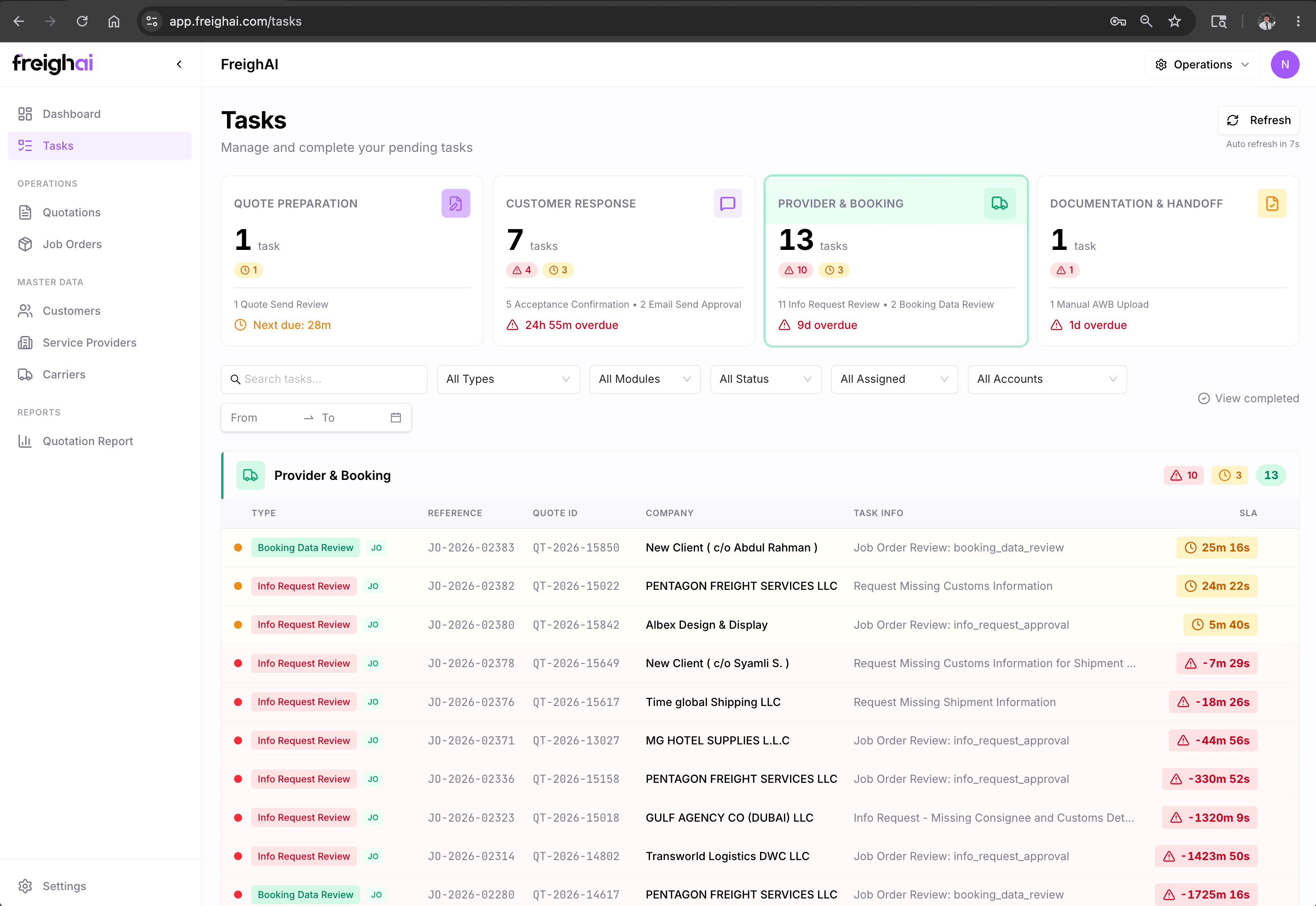
The entire freight forwarding lifecycle, in four colour-coded buckets.
Quote Prep · Customer Response · Provider & Booking · Documentation & Handoff. Every task type belongs to exactly one bucket. The team always knows where to look.
Quote Prep
RFQ reading, rate lookup, quote drafting, negotiation, acceptance handling. The pipeline that drives revenue starts here.
Customer Response
Every inbound message — accepted quotes, questions, follow-ups, disputes, payment promises — classified by intent and queued for action.
Provider & Booking
Partner sourcing for uncovered lanes, carrier bookings, AWB/BL generation, pickup coordination. Where deals become live shipments.
Documentation & Handoff
Commercial invoices, packing lists, shipping documents, customs paperwork. The compliance layer that keeps cargo moving.
Every task carries four panels.
Customer context · agent's prepared work · risk flags · approval controls. No tab-hopping. No 'let me check' detours. Everything on one screen.
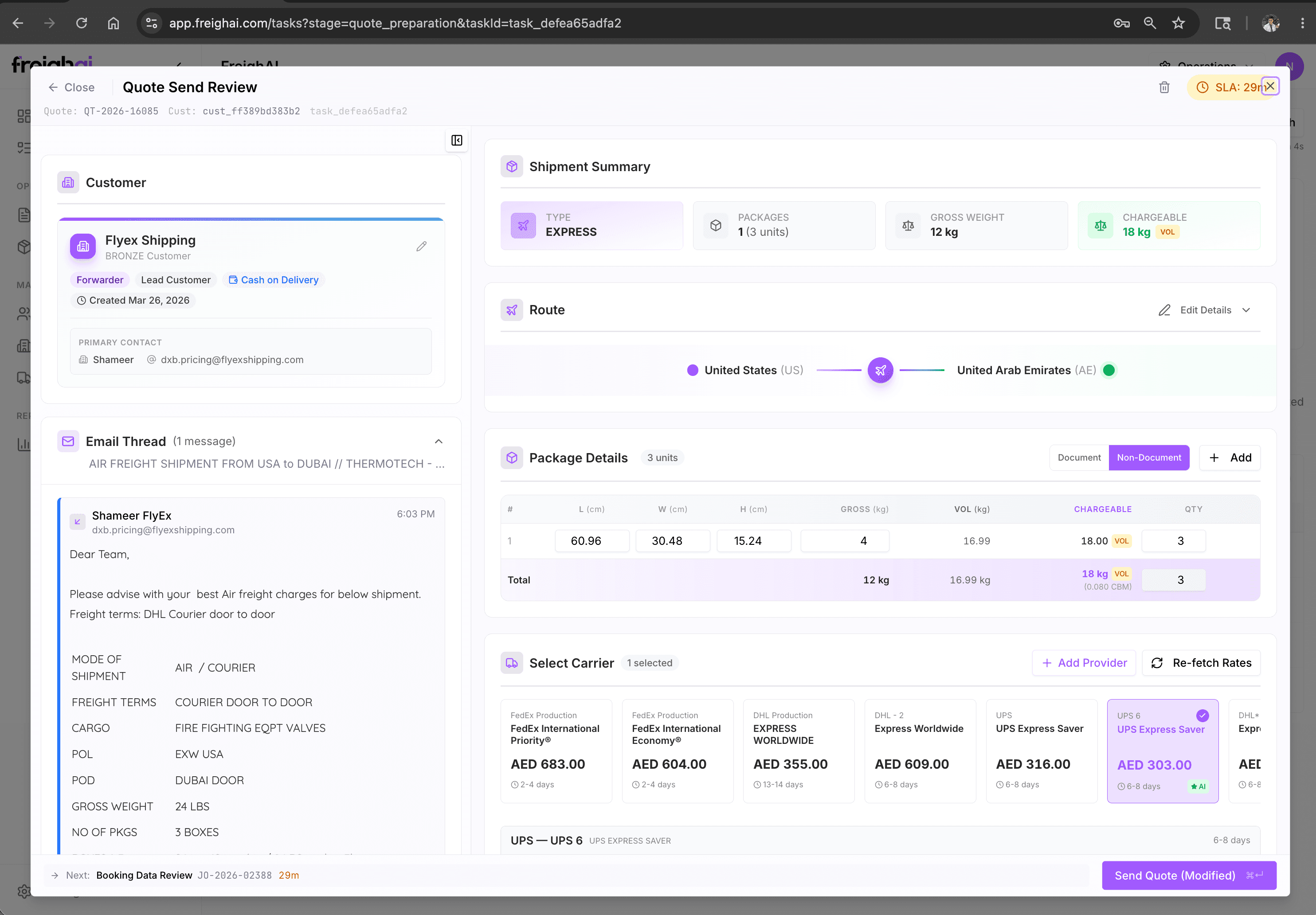
Customer context
Customer tier, lane history, last shipment, payment record. The full 360° at the top — so the team doesn't pivot to a CRM tab.
Agent's prepared work
Drafted reply, fetched rates, calculated margin, suggested next action. The work that used to be done from scratch — now pre-staged.
Risk flags & recommendations
Currency exposure, customer pushback prediction, partner reliability score. The judgement context the agent has assembled.
Approval controls
Approve · Refine · Reject. One click. The reply goes out on the customer's existing thread — no portal, no new login.
You choose how much the agents do alone. Per task type.
Every task type has an Auto / Supervised toggle. High-stakes actions (Acceptance Confirmation, partner selection, dispute escalation) are locked to Supervised by default — never auto.
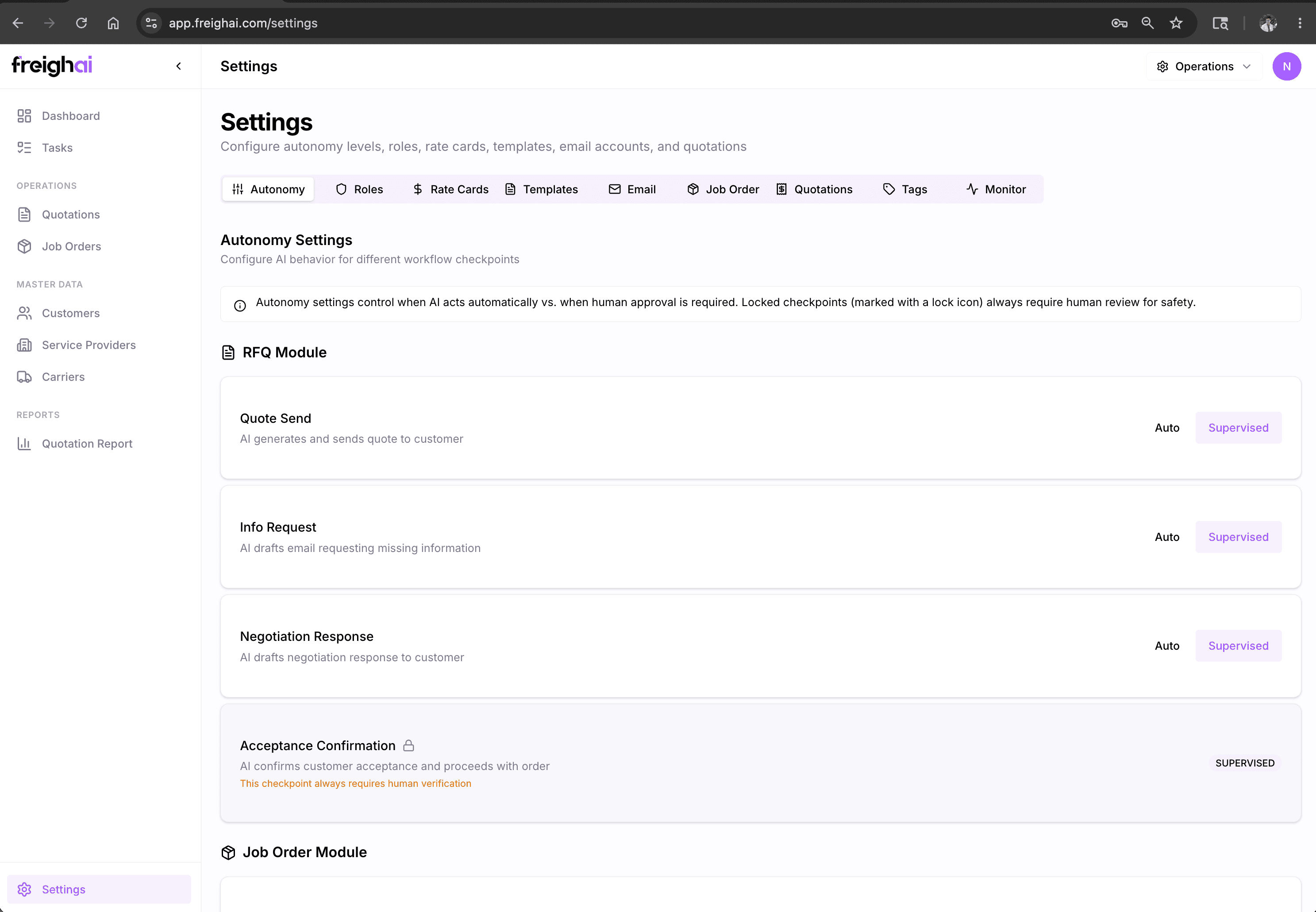
Routine tasks the agent handles without intervention. Status updates · acknowledgements · routine follow-ups.
Agent prepares; a human approves before action. The default for most task types.
High-stakes — never auto, even if you try. Acceptance Confirmation, partner selection, escalations.
The dial is yours. Start cautious. Build trust. Expand the autonomy as comfort grows.
One screen. Up to 90% fewer clicks.
Most freight software is records-focused, so the UI is records-oriented — open the customer, find the JO, find the quote, find the rate, find the carrier, switch tabs to comms. We compress all that into one task screen.
Under a day. Self-explanatory.
The team that's used to spreadsheets, WhatsApp, and a legacy TMS picks up the task screen because it looks like how they already think about work. No 'training week.' No 'champion user.' No change-management project.
Most operators are running their first live tasks by the afternoon of day one.
The task screen explains itself. We offer onboarding support, but most customers don't end up needing it.
Operations, pricing, sales, accounts — same UI. Cross-training is instant; cover for absences is trivial.
Deeper into the platform.
Stop your team from tab-hopping.
One task screen across the freight forwarding lifecycle. Under a day to learn. 90% fewer clicks. Pilot starts with one bucket, expands naturally.